How to Use Pinterest to Drive Traffic to Your Blog
Build a clear path from a relevant Pin to a helpful article, then learn what to improve along the way.
In this guide
A Pinterest visitor should be able to follow one clear path: notice a relevant Pin, understand what is behind it, and open a page that answers the question. Traffic problems often begin when one of those steps is disconnected from the others.
This workflow starts with the article and works backward to the Pin. It is designed for a small blog publishing useful guides, rather than a large operation chasing a daily upload count. Apply it to one article, check the complete journey, and repeat what you can maintain.
1. Prepare a page worth visiting
Choose an article with a clear purpose, such as helping a beginner select containers for a balcony herb garden. Open it on your phone and read the opening screen. The headline should explain the topic, the introduction should establish the problem, and the answer should be easy to find without signing in or dismissing intrusive overlays.
Make sure images load, paragraphs are readable, and links lead where expected. Add related guides so someone can continue when the first question is answered. If the article includes affiliate recommendations, make the relationship clear near those links. Sending more visitors to a confusing page multiplies the confusion; fix the destination before investing time in promotion.
2. Set up the account and website connection
Use the account tools appropriate to your publishing activity. A Pinterest business account provides access to Pinterest Analytics. If you own the website, follow Pinterest’s current website-claiming instructions and choose a verification method you can maintain. Claiming establishes the connection to your site; it is not a promise of traffic or preferential distribution.
Write a straightforward profile description explaining what readers will find. Keep the site name and visual identity recognizable across the profile, Pins, and destination pages. Review existing boards before creating more. A small set of relevant, clearly named boards is easier to organize than many overlapping boards with unclear purposes.
3. Research the words your reader uses
Search Pinterest for your topic and observe suggestions and relevant results. Look for the language people use to describe their situation: “balcony herb garden,” “small patio planters,” or “container drainage.” Use the observations to refine the promise of your article, rather than copying someone else’s headline and image.
Choose one main topic and a small number of related terms. Write naturally in the Pin title and description. Repeating a phrase several times does not make an unclear idea more helpful. If a term describes something your article does not cover, leave it out or improve the article before making that promise.
4. Turn the article into distinct Pin concepts
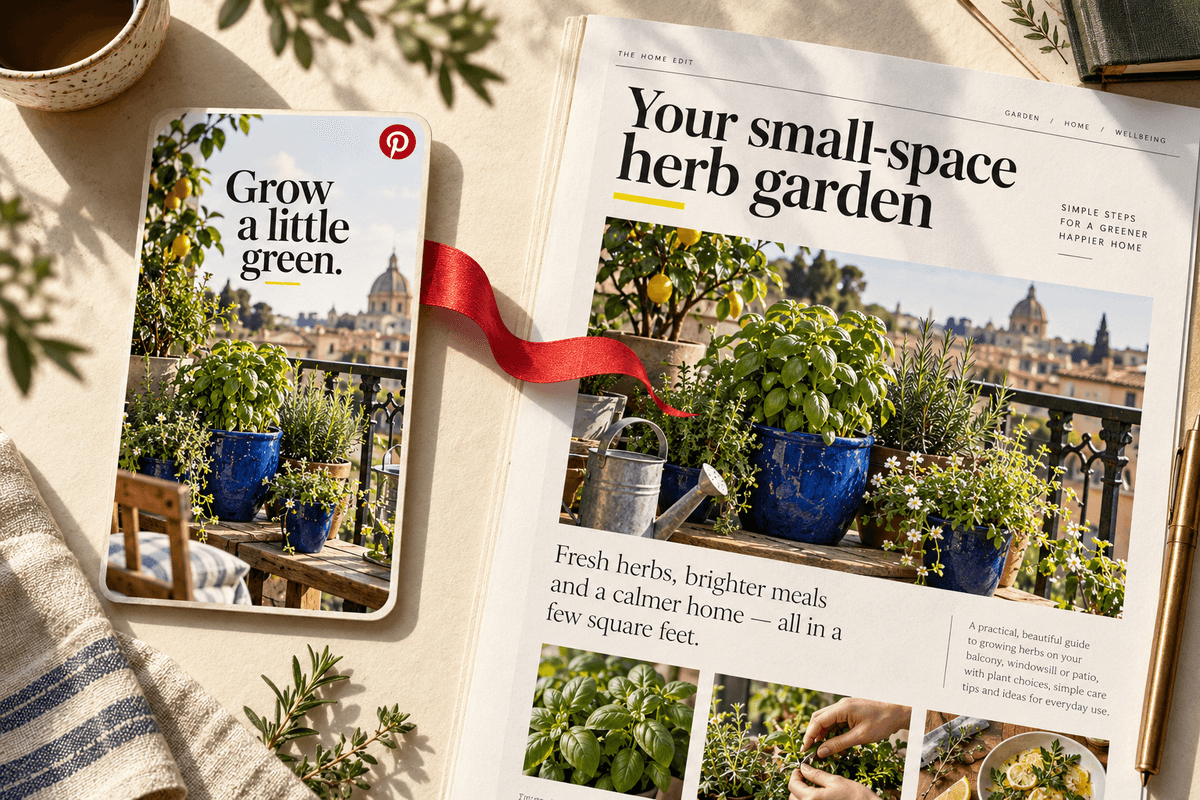
Read your section headings and identify a few useful entry points. The herb-garden guide might support a container checklist, a drainage explanation, and a small-balcony layout. Give each concept one headline, one relevant visual, and a clear reason to open the guide. Keep the wording specific enough that a reader can predict the destination.
Start with a manageable batch and review the actual image at phone size. Is the headline readable? Is the subject obvious? Does the artwork reflect the article? Check that any photos, illustrations, and product assets are licensed for the intended use. A new crop alone does not make an otherwise identical idea meaningfully different.
5. Publish to a relevant board and test the link
Choose a board that accurately describes the Pin’s subject. Add the destination of the specific article, not the blog homepage. Read the title and description together and remove any wording that overstates what the page provides. If the Pin promotes an affiliate relationship, check the applicable disclosure and commercial-content requirements before publishing.
After publishing, open the Pin and follow its destination. Confirm the correct page appears, including on mobile. If you use campaign parameters in links, keep your naming consistent and avoid putting private information in them. The parameters should help you understand a visit without making the visible destination feel misleading or unrelated.
6. Review the right measures together
In Pinterest Analytics, impressions describe exposure, saves describe saved ideas, and outbound clicks describe clicks through to a destination. In your site reports, look at visits to the promoted article and available engagement measures. In affiliate reports, distinguish clicks, pending referrals, and approved earnings. These reports describe different stages and may not match one for one.
Record the article, Pin angle, publication date, and review period in a simple log. Compare related Pins over similar time windows before drawing conclusions. A handful of visits cannot reliably prove which design is better. Look for repeated patterns and use them to decide what to investigate next, rather than reacting to every daily fluctuation.
7. Improve the weakest part of the journey
If a Pin gets exposure but few outbound clicks, revisit its promise and readability. If visitors arrive but do not find the answer, improve the article’s opening, structure, and mobile layout. If readers find the content useful but ignore a product recommendation, ask whether it genuinely fits their next decision.
Update one important element at a time and keep notes. Maintain the destination as carefully as the creative: broken links, unavailable products, and outdated instructions erode the usefulness of an otherwise successful Pin. Your aim is a dependable route from a relevant idea to a complete answer, with enough observation to keep improving it.
Create your Pinterest campaign in Profit Pins
Use Profit Pins to turn the products in your article into Pinterest creative. Paste an Amazon product URL as your source, choose a design, and generate a Pin that illustrates something your guide actually explains. For a balcony garden article, a planter can anchor the visual while the headline introduces your container checklist.
Set the Pin’s Link field to the article URL when your goal is blog traffic. The Amazon source URL and the Pinterest destination serve different purposes. Review the copy and destination in Profit Pins, save your chosen designs, then schedule the approved Pins to relevant Pinterest boards.
Sources & further reading
Platform features and program rules change. Check these official resources for current details.
Keep exploring: How to Create Pinterest Pins People Want to Click
Written by Profit Pins Team